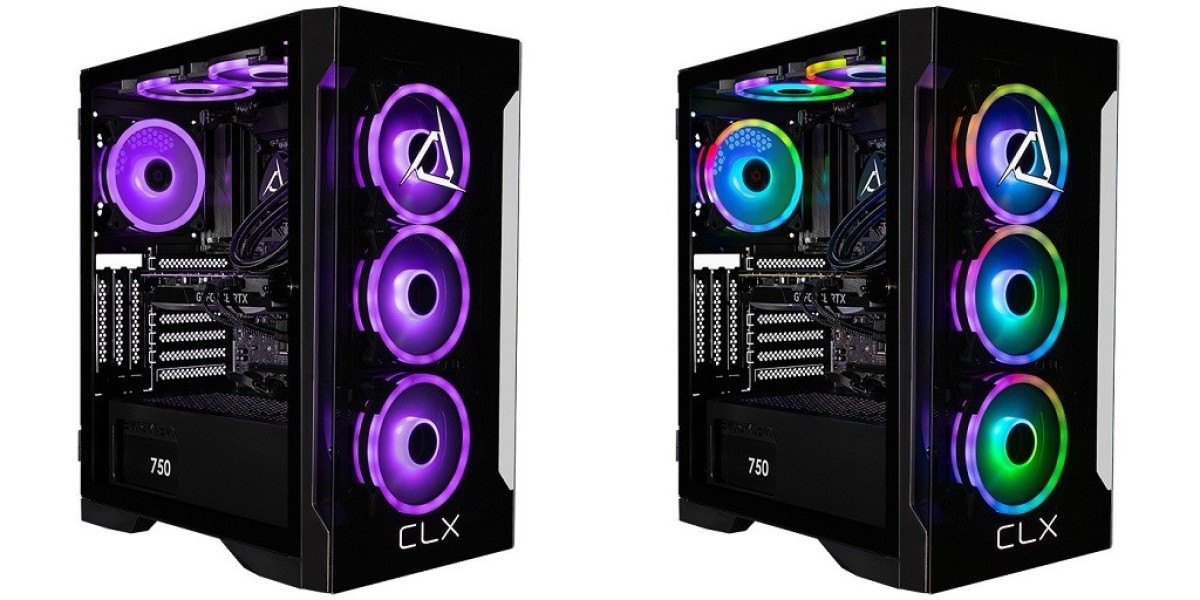

To find the best gaming desktop, you need to examine the hardware inside the case. The graphics card, processor, memory, storage, cooling system, and power supply all affect gaming performance. The appropriate setup varies according to the games you play, your resolution, and the frame rate you want.
What Makes the Best Gaming Desktop
No hardware setup will be suitable for all gamers since different types of games, such as competitive shooters, open-world adventures, and strategy games, have different requirements for a PC.
Your decision is important as well. A system built for 1080p gaming has different needs compared to one designed for 1440p or 4K. When you consider all the components together, you get a better sense of what a gaming desktop can do.
Look Closely at the Graphics Card
While you play, the GPU handles textures, lighting, shadows, reflections, and other visual effects.
When comparing graphics cards, consider VRAM, since more VRAM gives demanding games more room for high-resolution textures and detailed environments. This is particularly useful at 1440p and 4K resolutions.
Performance also depends on GPU architecture, core count, and clock speeds, and if you prefer realistic lighting, reflections, and shadows, ray tracing support matters.
High-end GPUs suit demanding 4K games, while mid-range models deliver strong 1440p performance.
Choose a CPU That Fits Your Games
The processor handles the calculations needed for the game, as well as physics, artificial intelligence, background applications, and other system tasks.
Competitive games benefit from high clock speeds when a high frame rate matters, while strategy games and simulations demand more from multiple CPU cores.
Both Intel and AMD offer capable gaming processors. When comparing models, you need to look at clock speeds, core counts, cache, compatibility, and power requirements.
The CPU and GPU should also match; if the processor is weak, it will limit the performance of a powerful graphics card in CPU-heavy games
Give DDR5 Memory Enough Room
DDR5 memory suits current gaming computers and modern processor platforms; 16GB is enough for playing most games daily.
With a 32GB configuration, you have more space for demanding titles, streaming, multiple browser tabs, and other programs running at the same time.
You should also check the memory speed. Memory kits running at 6000 MHz or higher can perform well on compatible systems. Before selecting a memory kit, check the specifications of both the motherboard and the processor.
Pick Storage That Fits Your Library
Modern video games require a great deal of storage space. This is because M.2 NVMe SSDs deliver the fast access speeds expected from today's gaming systems.
PCIe Gen4 SSDs deliver strong gaming performance, and PCIe Gen5 SSDs offer greater bandwidth when used with compatible hardware. Both types of drives provide much faster access than traditional hard drives.
SSDs can also be a good choice for larger libraries, with one drive for the operating system and applications and the other for games and larger files.
Keep Temperatures Under Control
Good cooling helps keep temperatures under control during long gaming sessions, and air cooling suits many setups because it offers strong thermal performance.
AIO liquid cooling suits systems with powerful processors or those with continuous workloads; your choice will depend on the CPU, case design, airflow, and overall configuration.
Build Around the Way You Play
Base your hardware choices on your gaming habits; competitive players should focus on high frame rates and CPU performance, while those aiming to play in 4K should focus more on graphics processing.
If you are looking at different options from a gaming PC builder, review the full hardware list and check the GPU's VRAM, CPU specs, DDR5 capacity, storage, cooling system, and PSU wattage together.
Find the Right Configuration for 2026
Match your gaming desktop to the games and in-game settings that matter to you, considering resolution, frame rate, storage, and multitasking needs.
For customizable gaming desktops and hardware options, visit CLX Gaming to explore options that match your gaming preferences, performance requirements, and budget.
For more information about Portable Gaming Desktop and Custom Gaming Pcs For Sale Please visit: Cybertron International, Inc.