
Introduction
Every business logo carries a story. Maybe yours started on a napkin sketch, grew into a polished vector, and now lives proudly on your website and storefront. But the moment you decide to stitch that logo onto uniforms, caps, or promotional gear, you run into a simple truth: embroidery machines do not read JPEGs, PNGs, or even clean vector files. They need a special format that tells needles exactly where to go, how fast to move, and when to pause. That is where DSB files come in, and that is where professional digitizing saves the day. If you want to Transform Logos into DSB Machine Files, you have come to the right place. This guide walks you through what DSB files are, why they matter for your brand, and how expert digitizing turns a flat logo into a flawless stitched result.
What Exactly Is a DSB File?
Let us start with the basics. DSB stands for a machine embroidery format tied to Barudan embroidery machines, one of the most respected names in the industry. Think of it as a set of instructions written in a language your machine understands. A DSB file contains stitch commands, color changes, thread trims, and sequencing data. Without it, your machine sits idle. With a poorly made one, your logo comes out crooked, lumpy, or full of thread breaks.
Here is the catch. You cannot simply export a DSB file from design software the way you export a PDF. Someone has to manually map out every stitch path, adjust density, set underlay, and plan the sew-out order. That someone is a professional digitizer, and their skill decides whether your logo looks premium or amateur.
Why Business Logos Need Special Treatment
A logo designed for a screen and a logo designed for thread are two very different animals. On screen, a thin line costs nothing. In embroidery, a line thinner than one millimeter disappears or gets swallowed by fabric. Gradients look stunning on a monitor but cannot be stitched without clever blending tricks. Small text turns into a blurry blob unless the digitizer enlarges or simplifies it.
Professional digitizing solves these problems before a single stitch lands. A skilled digitizer studies your logo, identifies problem areas, and rebuilds it for thread. They add underlay to stabilize fabric, choose satin stitches for clean edges, and switch to fill stitches for larger areas. They also plan pull compensation, because thread pulls fabric slightly and changes the final shape. None of this happens automatically. It takes experience and a trained eye.
How the Digitizing Process Works
So what does the journey from logo to DSB file actually look like? It usually follows a clear path.
First, you send your logo in the best quality you have. Vector files like AI, EPS, or SVG work best, but a high-resolution PNG can also do the job.
Second, the digitizer reviews the artwork and asks questions. Where will you stitch this logo? On a polo shirt, a cap, or a heavy jacket? Each fabric behaves differently, so stitch settings change accordingly. What size should the final logo be? A chest logo and a back logo need completely different approaches.
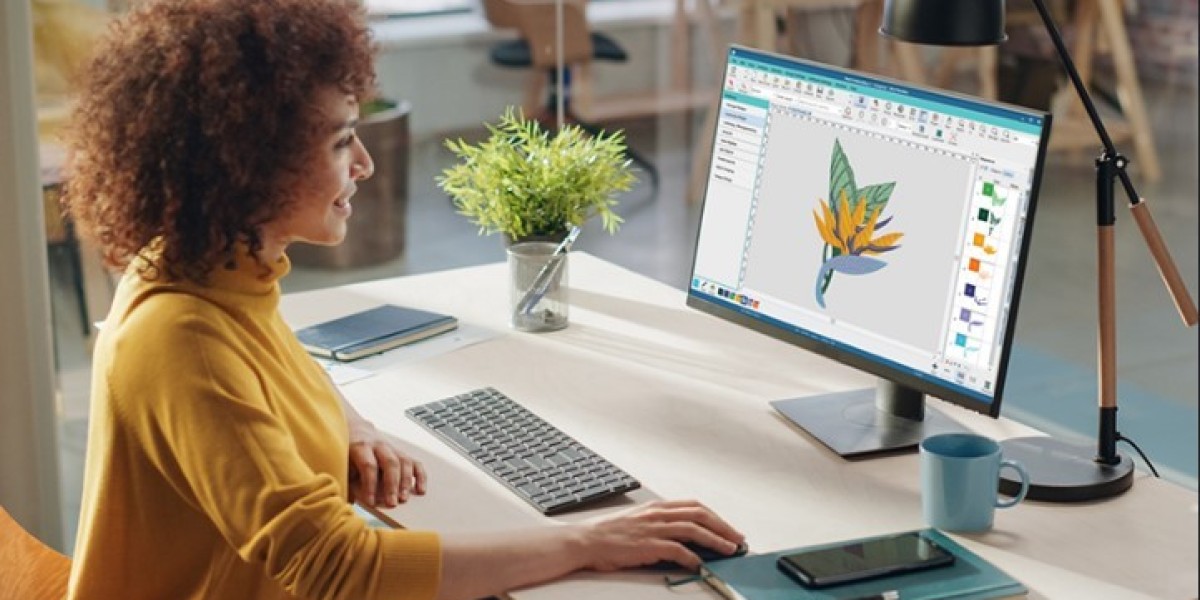
Third, the digitizer rebuilds the logo stitch by stitch in specialized software. They set the sequence, minimize color changes, and test the path to avoid unnecessary trims that slow down production.
Fourth, they convert the finished design into a DSB file and may run a test sew-out to confirm quality.
Finally, you receive a machine-ready file that runs smoothly on your Barudan equipment. No guesswork, no wasted thread, no ruined blanks.
Common Mistakes Without Professional Help
Some business owners try to skip the expert step and rely on auto-conversion tools. It rarely ends well. Auto-digitizing programs generate stitches without understanding fabric, logo geometry, or machine behavior. The results usually show up as puckered fabric, gaps between color blocks, loose threads, and lettering that nobody can read.
There is also the hidden cost. A cheap file might look fine on screen but force your machine to run slowly because of poor sequencing. That means longer production time, more thread breaks, and higher labor costs. When you work with a professional digitizer, you pay once for a file that performs flawlessly across hundreds or thousands of stitches. The math almost always favors quality.
What to Look for in a Digitizing Service
Not all digitizing services are created equal, so keep a few things in mind. Look for a provider with proven experience in DSB and Barudan formats specifically. Ask about test sew-outs and revisions. A serious digitizer stands behind their work and fixes issues without drama. Check whether they handle small details like tiny text, fine outlines, and complex gradients. Also confirm turnaround time, because production deadlines do not wait. Good communication matters too. If a digitizer asks smart questions about fabric and placement, that is a strong sign they know their craft.
Conclusion
Your logo deserves better than a conversion tool that treats it like any other image. A DSB embroidery file is only as good as the digitizer behind it, and professional digitizing makes the difference between a logo that looks stitched and a logo that looks crafted. Whether you are outfitting a team, launching branded merchandise, or preparing uniforms for a growing staff, take the time to get your files done right. When you work with skilled digitizers to transform business logos into DSB embroidery files, you protect your brand image, save production time, and enjoy consistent results on every single sew-out. Your logo tells your story. Make sure every stitch tells it well.