
Gaming PC Cases in Bahrain: How to Pick the Right One Before You Buy
Most people choose a PC case by looks, but the best cases do far more than hold your parts. A good case controls airflow, protects your components from dust, keeps noise down, and decides how easy your build and future upgrades will be. In Bahrain, where warm weather can push indoor temperatures up, cooling and ventilation matter even more. A poorly chosen case can trap heat, force your graphics card to slow down, and shorten the life of expensive parts. This guide explains what to check before you buy, from size and airflow to cable space and front-panel ports. We also cover how drive bays and M.2 slots affect your storage devices, so you do not end up with a case that cannot hold what you need. By the end, you will know how to compare cases with confidence and where to order the right one.
Match Your Case to Your Motherboard Size
The first rule of buying cases is compatibility. Motherboards come in standard sizes, with ATX, Micro-ATX, and Mini-ITX being the most common. An ATX case can hold all three, a Micro-ATX case suits smaller boards, and a Mini-ITX case is built for compact systems. Bigger cases give you more room, better airflow, and simpler building, but they take more desk or floor space. Smaller cases are neat and portable, but they can be harder to build in and tougher to cool. Before choosing, confirm your motherboard form factor and check the case specifications for supported sizes. Also check the maximum graphics card length, the CPU cooler height limit, and the power supply size. Many first-time builders buy a stylish case and then discover their graphics card does not fit. A few minutes comparing measurements can prevent returns, delays, and wasted money, so keep your component dimensions handy while you shop.
Airflow Is the Real Performance Feature of Cases
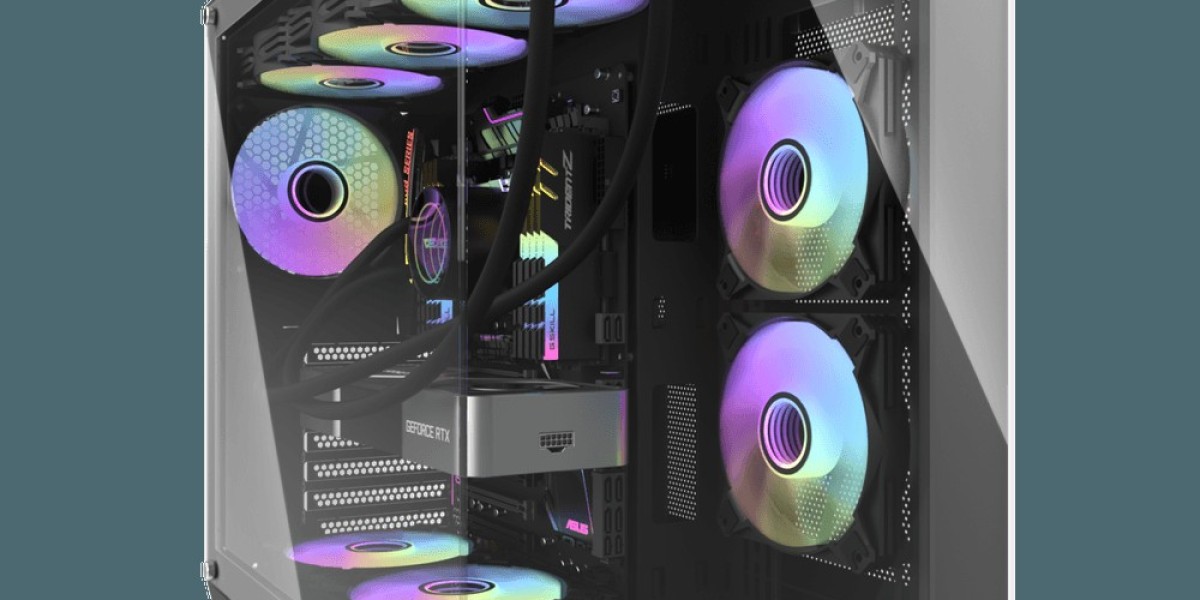
Cooling is where good cases separate themselves from average ones. Look for a front panel that allows air to enter freely, usually through a mesh design, rather than a solid glass or closed panel that blocks intake. Check how many fan mounts the case offers and how many fans are included, since extra fans add cost. A common layout pulls cool air in through the front and bottom, then pushes hot air out through the rear and top. If you plan to use a liquid cooler, check radiator support at the front, top, or rear. Tempered glass side panels look excellent but can reduce airflow if the rest of the design is restrictive. Dust filters on intake areas keep components cleaner and are easy to wash. In hot climates, strong airflow can mean lower temperatures, quieter fans, and steadier frame rates, so treat ventilation as a priority and not an afterthought when comparing cases.
Drive Bays, M.2 Slots, and Your Storage Devices
A case should make room for the way you store your files and games. Many modern cases focus on fewer drive bays because fast M.2 drives mount directly onto the motherboard. Even so, you may want extra 2.5-inch or 3.5-inch bays for a larger game library or backups. If you currently use several storage devices, or plan to add more later, count the bays before you buy. Check where drives mount: hidden trays behind the motherboard keep your build neat, while bays that face the airflow path can restrict cooling. Also consider access. A case with removable drive cages and tool-free trays makes upgrades quick, while a tightly packed layout can turn a simple swap into a long job. Matching your case to your storage devices helps you avoid clutter, protects your drives from heat, and keeps your build flexible for the next upgrade.
Cable Management, Noise, and Build Quality
Build quality affects every part of your experience. Cases with a roomy rear chamber, rubber grommets, and plenty of tie-down points make cable management easier, and tidy cables improve airflow and appearance. Steel panels feel more solid and resist vibration, while thin panels may rattle under load. Some cases include sound-dampening foam on the side or top panels, which helps if your PC sits near your desk or in a shared room. Check front-panel connectivity as well: a USB-C port, several USB-A ports, and a headphone jack add convenience, especially if you plug in controllers, headsets, and flash drives regularly. Look at how the side panel opens, how easy the power supply installs, and whether the case includes a shroud to hide cables. Strong build quality will not show up in a product photo, so read specifications carefully and ask a retailer who handles these products every day.
Style, Lighting, and Desk Space
Looks matter, and there is nothing wrong with wanting a case that suits your setup. Gamers often choose between clean minimalist designs, bold angular styles, and showpiece builds with tempered glass and RGB lighting. The best approach is to decide on your look after you confirm size, airflow, and compatibility. Think about where the case will sit. A tall tower on the floor behaves differently from a compact case on a desk, and a case placed in a cabinet or tight corner can suffer from poor ventilation. Leave several centimeters of clearance around the intake and exhaust areas. If you like lighting, check whether the included fans and strips use standard connectors and whether they work with your motherboard software. Color choice is easy to change later with fans and accessories, but a poor airflow design is much harder to fix, so balance style with function when comparing cases.
Order the Right Cases from Cyberspace Gamerz
Choosing among many cases does not have to be stressful. At Cyberspace Gamerz, we help Bahrain gamers find cases that fit their motherboard, cooling plan, budget, and personal style. Share your component list, and we will help you check graphics card length, cooler clearance, fan support, and bay space, including room for your storage devices. If you are building a new PC, we can recommend a case that leaves space for future upgrades. If you are rebuilding an older system, we can suggest options that improve airflow and reduce noise. Buying locally also makes it easier to ask questions, confirm stock, and arrange support if anything is wrong. Contact Cyberspace Gamerz today, tell us about your build, and place your order for a case that looks great and keeps your hardware cool for years.
Frequently Asked Questions
What size of case should I buy?
Choose a case that supports your motherboard size and has enough room for your graphics card, CPU cooler, and power supply. ATX mid-towers suit most builds.
Are mesh-front cases better for cooling?
Generally, yes. Mesh fronts let more air reach your components, which helps keep temperatures lower, especially in warm climates.
How many fans do I need in a case?
Most gaming builds do well with at least two intake fans and one exhaust fan, with more added based on component heat and case design.
Do I need drive bays if I use M.2 SSDs?
Not always. M.2 drives mount on the motherboard, but extra bays are useful if you also want larger SATA SSDs or hard drives.
Can Cyberspace Gamerz help me check if parts will fit?
Yes. Send us your component list and we will help confirm compatibility before you order.