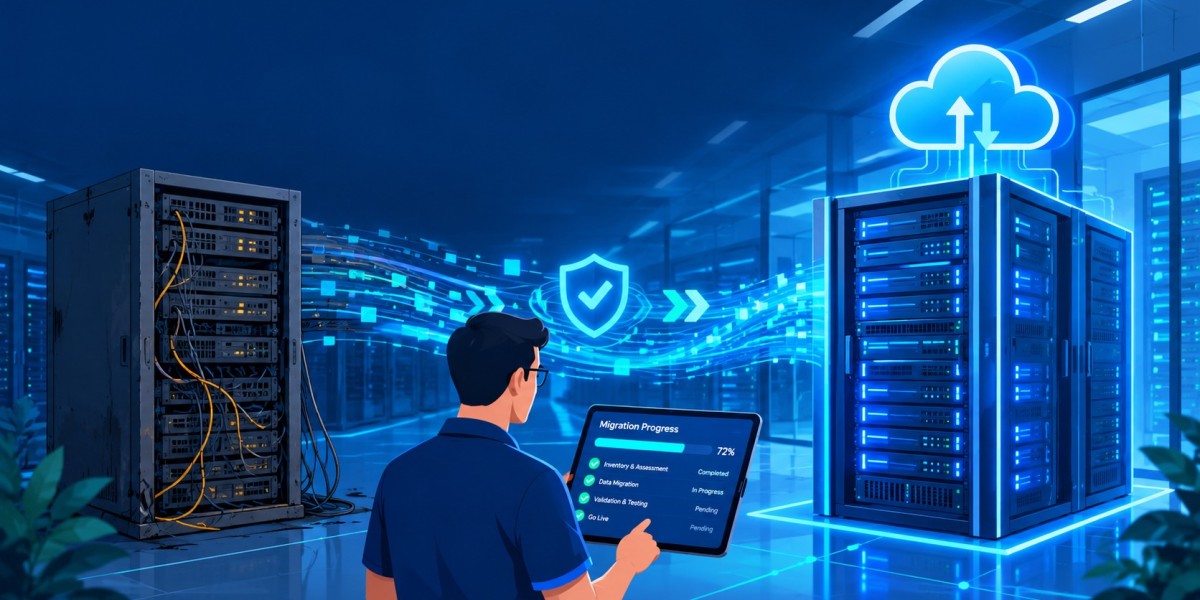

Server Migration and Upgrade Services: The Complete Guide for Growing Businesses
Servers are the quiet engine behind your email, files, databases, line-of-business applications and customer data. When they are old, overloaded or unsupported, the whole business feels it. Slow systems, unexpected crashes and security gaps are all signs that your infrastructure has outgrown its foundation. That is where professional Server Migration and Upgrade Services come in.
This guide explains what these services include, when you need them, how a migration project works step by step, what it costs, and how to choose a partner you can trust.
What Are Server Migration and Upgrade Services?
Server Migration and Upgrade Services cover the planning, execution and validation of moving your workloads, data and applications from one server environment to another, and of upgrading the operating systems, hardware or software those servers run. The destination might be new physical hardware, a virtualized environment, a private data centre or a public cloud platform such as Microsoft Azure or AWS.
A migration changes where your systems live. An upgrade changes what they run on. Most projects involve both, and doing them together under one plan avoids repeated downtime and wasted effort.
Migration vs. Upgrade: What Is the Difference?
- Migration: moving data, applications and settings to a new server, platform or location
- Upgrade: replacing or updating an operating system, hardware, database or application to a newer version
- Hybrid approach: upgrading and migrating in a single coordinated project
Common Types of Server Migration
Professional Server Migration and Upgrade Services usually fall into one of these categories:
- Physical to physical (P2P): moving to newer hardware
- Physical to virtual (P2V): consolidating physical machines onto virtualization platforms such as VMware or Hyper-V
- On-premises to cloud: moving workloads to Azure, AWS or Google Cloud
- Cloud to cloud: switching providers or regions
- Data centre relocation: moving equipment to a new facility
- Application and database migration: moving specific systems such as SQL Server or ERP platforms
Why the Right Strategy Matters
There is no single correct path. The best approach depends on your applications, budget, compliance duties and tolerance for downtime. A good provider of Server Migration and Upgrade Services starts by understanding your business needs before recommending any technology.
The Short Version
Migration moves your systems. Upgrading modernizes them. Planning both together is what makes the project smooth.
Signs You Need Server Migration and Upgrade Services
Many businesses wait until a failure forces their hand. Recognizing the warning signs early lets you plan on your own schedule instead of reacting to an emergency.
Your Operating System Is Reaching End of Support
When Microsoft or another vendor stops releasing security patches, your servers become easy targets. Running unsupported software can also break compliance requirements and void cyber insurance coverage. If you still run an older Windows Server release, Server Migration and Upgrade Services should be near the top of your priority list.
Performance Is Slowing Down
Long login times, slow file access, lagging applications and frequent timeouts often point to ageing hardware or insufficient capacity. Upgrading storage, memory and processing power, or moving to scalable cloud resources, restores speed and productivity.
Hardware Failures Are Becoming Frequent
Failing disks, noisy fans, overheating and repeated reboots are classic signs of hardware near the end of its life. Replacing servers before they fail is far cheaper than recovering from an unplanned outage.
Your Business Is Growing
More users, more locations and more data all place new demands on your infrastructure. A server setup that worked for ten employees may struggle with fifty. Modern Server Migration and Upgrade Services build in room to grow.
Security and Compliance Gaps Are Showing Up
Audits for PIPEDA, HIPAA, PCI-DSS or SOC 2 may reveal outdated systems, missing encryption or weak access controls. Migrating to a properly secured platform is often the fastest way to close those gaps.
Maintenance Costs Keep Rising
Extended warranties, emergency repairs, specialized parts and constant firefighting add up. When the cost of keeping old systems alive exceeds the cost of modernizing, it is time to move.
Key Benefits of Server Migration and Upgrade Services
Better Performance and Reliability
New hardware and optimized configurations process workloads faster and fail less often. Employees spend less time waiting and more time working.
Stronger Cybersecurity
Current operating systems receive regular security updates and support modern protections such as multi-factor authentication, advanced encryption and endpoint detection. Investing in Server Migration and Upgrade Services is one of the most effective ways to reduce your attack surface.
Lower Long-Term Costs
Consolidating servers through virtualization reduces power, cooling, space and licensing costs. Cloud migration can shift large capital purchases into predictable monthly operating expenses.
Scalability and Flexibility
Virtual and cloud environments let you add or remove resources as demand changes. You pay for what you need rather than buying hardware for a peak that may never come.
Improved Disaster Recovery
Modern platforms make it easier to build automated backups, replication and failover. If something goes wrong, you can restore operations in minutes or hours instead of days.
Support for Remote and Hybrid Work
Cloud-ready servers and secure remote access let your team work from anywhere without sacrificing performance or security.
The Server Migration and Upgrade Services Process, Step by Step
A successful project follows a structured methodology. While every provider has its own variations, the core stages are consistent.
Step 1: Discovery and Assessment
The provider inventories your servers, applications, databases, dependencies, user counts and data volumes. This stage identifies what must move, what can be retired and what risks exist. Skipping discovery is the most common cause of failed migrations, so strong Server Migration and Upgrade Services always begin here.
Step 2: Planning and Strategy
Using the assessment results, the team chooses the right destination and migration method. The plan covers timelines, resources, rollback options, communication and cutover windows. It also defines success criteria so everyone knows what “done” looks like.
Step 3: Design and Preparation
Engineers design the target environment, including networking, storage, security controls and backup. They build and configure new servers, replicate data where possible and prepare documentation.
Step 4: Testing in a Safe Environment
Before touching production, the team tests applications, performance, permissions and integrations in a staging environment. Problems found here are inexpensive to fix. Problems found during cutover are not.
Step 5: Migration and Cutover
Data and workloads move to the new environment, often in phases and usually outside business hours to limit disruption. Techniques such as live replication and incremental syncing keep downtime to a minimum.
Step 6: Validation and Optimization
After cutover, the team verifies that every application, user group and integration works properly. They monitor performance closely, tune settings and resolve issues quickly.
Step 7: Decommissioning and Documentation
Old servers are securely wiped and retired once the new environment is stable. Final documentation, including network diagrams, credentials and recovery procedures, is handed to your team.
What Happens to Your Data During Migration?
Data integrity is the top concern for most business owners. Experienced providers of Server Migration and Upgrade Services take full backups before any change, use encrypted transfers and validate data after the move so nothing is lost or corrupted.
How Long Does a Migration Take?
A single file server may take a few days. A multi-server environment with databases and custom applications can take several weeks or months. Planning time is well spent, because rushed projects tend to cost more in the end.
A Quick Note on Downtime
Zero downtime is not always possible, but careful scheduling and modern replication tools can reduce it to minutes or to a short planned window.
Common Risks in Server Migration and How to Avoid Them
Even well-run projects carry risk. Knowing the common pitfalls helps you ask better questions.
Data Loss or Corruption
Always insist on verified backups before work begins and validation checks afterward.
Unexpected Downtime
Poor planning leads to extended outages. Phased cutovers, rollback plans and off-hours work protect your operations.
Application Incompatibility
Older applications may not run on newer operating systems. Compatibility testing during the assessment stage reveals this early so you can plan updates, workarounds or replacements.
Hidden Dependencies
Servers often rely on undocumented scripts, shared drives, printers or legacy integrations. A thorough discovery process maps these connections before anything is moved.
Security Gaps During Transition
Temporary configurations and open ports can introduce risk. Reputable Server Migration and Upgrade Services include security reviews at every stage.
Budget Overruns
Scope creep and surprises drive costs up. A detailed assessment and a clear statement of work keep the project on budget.
How Much Do Server Migration and Upgrade Services Cost?
Pricing varies widely depending on the size and complexity of your environment. Typical cost factors include:
- Number of servers and virtual machines
- Volume of data to be moved
- Complexity of applications and databases
- Target platform (on-premises, hybrid or cloud)
- New hardware, licences and software purchases
- Required downtime window and after-hours work
- Testing, training and post-migration support
Common Pricing Models
Fixed-price projects work well when the scope is clear, since you know the total cost upfront. Time-and-materials billing suits projects with uncertainty, though it needs close oversight. Some providers bundle migration into a managed services agreement, which spreads cost over time and includes ongoing support.
Is It Worth the Investment?
Compare the project cost with the price of a major outage, a ransomware incident or lost productivity. When you factor in avoided downtime, lower maintenance and improved security, quality Server Migration and Upgrade Services usually deliver a strong return.
On-Premises, Cloud or Hybrid: Choosing the Right Destination
On-Premises Servers
Best for businesses that need full control, have strict data residency rules or run applications that perform best on local hardware. You own the equipment and manage the environment, or have a partner manage it for you.
Cloud Migration
Ideal for companies that want flexibility, remote access and reduced hardware management. Cloud platforms provide built-in redundancy and scale on demand, but they require careful cost management and configuration.
Hybrid Environments
Many organizations keep certain workloads on-site and move others to the cloud. Hybrid setups balance performance, compliance and cost. A skilled provider of Server Migration and Upgrade Services will help you decide which workloads belong where.
How to Choose a Provider of Server Migration and Upgrade Services
The provider you pick determines whether your project is routine or stressful. Use this checklist when comparing options.
Look for Proven Experience
Ask how many migrations they have completed, what sizes and industries they serve, and whether they have worked with your applications and platforms. Request case studies or references.
Confirm Technical Certifications
Certifications from Microsoft, VMware, AWS, Cisco and similar vendors show current, validated skills.
Insist on a Clear Methodology
A professional provider can explain their process, timelines, testing approach and rollback plan in plain language. Vague answers are a warning sign.
Verify Security Practices
Your provider will have privileged access to sensitive systems. Ask about background checks, access controls, encryption standards and incident response procedures.
Check Post-Migration Support
The first weeks after cutover are when hidden issues appear. Make sure your agreement covers monitoring, troubleshooting and knowledge transfer. Many businesses choose a partner that offers Server Migration and Upgrade Services together with ongoing managed IT support.
Questions to Ask Before You Sign
- What does your assessment process include?
- How do you minimize downtime and protect data?
- What is your rollback plan if something fails?
- Is post-migration support included, and for how long?
- How are scope changes handled and billed?
- Who owns the documentation and credentials at the end?
Red Flags to Watch For
- No written plan, scope or timeline
- No discovery phase before quoting
- Pressure to choose a specific vendor or platform without explanation
- Reluctance to share references
- No testing or rollback strategy
Best Practices for a Smooth Project
Back up everything, communicate early with staff, schedule work outside peak hours, and test thoroughly before and after cutover. Assign an internal point of contact so decisions are made quickly.
Final Thought on Choosing a Partner
The right provider treats your project as a business initiative, not just a technical task, and communicates clearly at every stage.
Industries That Rely on Server Migration and Upgrade Services
- Healthcare: secure handling of patient records and compliance with privacy laws
- Legal and finance: protection of confidential client data and strict retention rules
- Manufacturing: uptime for production systems and connected equipment
- Retail and e-commerce: reliable payment systems and seasonal scalability
- Education: modern infrastructure for learning platforms and administration
- Professional services: secure access for distributed teams
Frequently Asked Questions
Will my business stop working during migration?
Not usually. With phased planning and off-hours cutovers, disruption is limited to a short, scheduled window.
Can old applications be migrated?
Often yes, through compatibility modes, virtualization or updated versions. Your provider will test this during assessment.
Do I have to move to the cloud?
No. The best destination depends on your needs. Many businesses stay on-premises or choose a hybrid model.
How often should servers be upgraded?
Hardware typically lasts five to seven years, while operating systems should be replaced before vendor support ends. Regular reviews with a provider of Server Migration and Upgrade Services keep you ahead of deadlines.
Conclusion
Your servers carry your business. Keeping them outdated is a risk to security, productivity and growth. With professional Server Migration and Upgrade Services, you get a carefully planned transition to a faster, safer and more scalable environment, without the guesswork or disruption that make many companies delay the work.
Start with an assessment, define your goals and choose a partner with proven experience and clear communication. If you are ready to modernize your infrastructure, contact a trusted provider of Server Migration and Upgrade Services today and take the first step toward a more reliable IT environment.