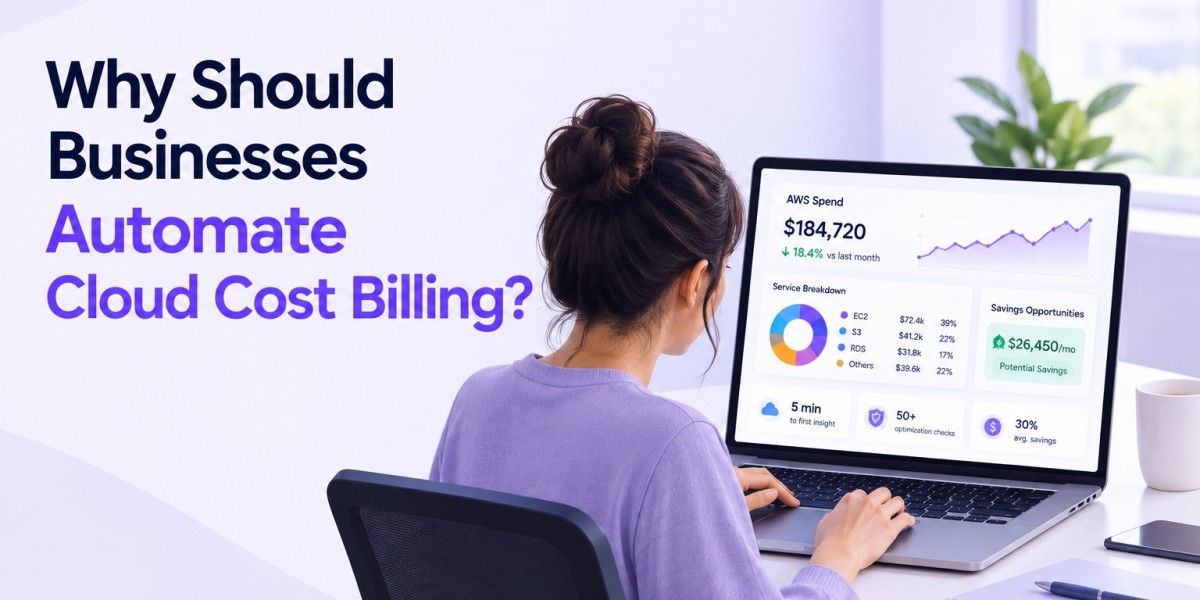

Picture this: your finance team is staring at three different dashboards, trying to figure out why last month's AWS bill jumped by 40%. Nobody can pinpoint the exact service that caused it. Sound familiar? This scene plays out in thousands of companies every single month, and it's exactly why more organizations are turning to automated cloud cost billing software in 2026.
Cloud spending isn't slowing down. Businesses across fintech, healthcare, and SaaS are running more workloads across multiple providers than ever before. In fact, Flexera's 2026 State of the Cloud Report found that wasted cloud spend climbed to 29% this year — the first increase in five years — driven largely by AI adoption and growing cost complexity. Manual tracking simply can't keep pace anymore, which is exactly why cloud cost billing has become such a hot topic for finance and IT leaders alike. That's why understanding how automation fixes this mess matters right now, whether you run a startup or manage IT budgets for a large enterprise.
The Real Problem With Manual Cloud Cost Billing
Spreadsheets were never built for cloud-scale complexity. When you're juggling dozens of services across AWS, Azure, and Google Cloud, tracking every line item by hand becomes a full-time job nobody signed up for.
Teams often discover billing errors weeks after they happen. By then, the damage is done, and finance is left explaining an unexpected overspend to leadership.
There's also the human factor. People miss things. A forgotten test server left running for a month, an unused storage bucket, a misconfigured instance — these small oversights add up to real money fast, and they're exactly the kind of gaps manual cloud cost billing leaves open.
What Does Automated Cloud Billing Software Actually Do?
So, what exactly changes when you switch to automated cloud billing software? In simple terms, it's a system that tracks, calculates, and reports your cloud usage costs automatically, without someone manually pulling reports every week.
Think of it as a financial assistant that never sleeps. It pulls usage data directly from your cloud provider, applies your pricing rules, and generates accurate invoices or internal cost reports in real time.
For companies managing multiple cloud accounts, this kind of billing automation software removes the guesswork entirely, turning cloud cost billing from a monthly headache into a routine, predictable process.
Why AWS Cloud Billing Software Deserves Special Attention
AWS remains the most widely used cloud platform globally, and its pricing structure is notoriously layered. Between reserved instances, spot pricing, and on-demand rates, costs can spiral quietly if nobody's watching closely.
This is where AWS cloud billing software earns its keep. It breaks down complex usage patterns into digestible reports, showing exactly which department, project, or client is driving costs.
A mid-sized fintech company in Dubai recently shared how switching to automated AWS tracking cut their monthly reconciliation time from three days to under two hours. That's not a small win — that's time their finance team now spends on actual strategy instead of chasing numbers.
Q: Isn't AWS's built-in Cost Explorer enough for most businesses? A: For very small setups, maybe. But once you're managing multiple accounts, departments, or client billing, dedicated automation tools offer far deeper AWS cost visibility and customization than the native dashboard provides for cloud cost billing.
Gaining Real AWS Cost Visibility and Analytics
Visibility is everything when it comes to cloud spending. Without it, you're essentially flying blind, hoping costs stay within budget.
Good AWS billing analytics tools break down usage by service, region, team, or even individual project. This means you can spot a spike in EC2 usage the moment it happens, not thirty days later on an invoice.
Healthcare software companies, in particular, benefit heavily here. Patient data platforms often run continuous backups and compliance-related storage, and unexpected cost spikes can seriously strain tight operational budgets — another reason why tighter cloud cost billing oversight matters in regulated industries.
Choosing Among the Best Cloud Billing Platforms
Not every platform fits every business. Some of the best cloud billing platforms specialize in multi-cloud environments, while others focus purely on AWS or Google Cloud integrations.
When evaluating options for cloud cost billing, businesses typically look at a few core factors before committing to a tool:
Multi-cloud compatibility — does it support AWS, Azure, and Google Cloud together?
Real-time alerts — will it notify you before costs exceed budget thresholds?
Custom reporting — can you break down costs by client, team, or project?
Integration ease — does it connect smoothly with your existing accounting software?
Scalability — will it grow with your usage without needing a full replacement later?
Getting this choice right saves months of frustration down the line.
How Businesses Monitor Cloud Expenses More Effectively
Here's a question worth asking: how do growing companies actually monitor cloud expenses without hiring an entire team just for that purpose?
The answer usually comes down to automation paired with smart alerting. Instead of checking dashboards manually every day, teams set thresholds, and the system flags anomalies automatically.
A SaaS company scaling its customer base in 2026 might see traffic spikes during product launches. An automated billing system catches the resulting cost surge instantly, giving teams a chance to react before the bill arrives, not after — which is the whole point of proactive cloud cost billing.
Approach | Manual Tracking | Automated Cloud Billing Software |
Time spent monthly | 15–20 hours | 1–2 hours |
Error rate | High | Low |
Real-time alerts | No | Yes |
Multi-cloud reporting | Difficult | Built-in |
The Bigger Business Case for Automation
Cost savings aren't the only benefit here, though they're certainly the most talked about. Automated systems also improve accountability across departments, since every team can see exactly what they're spending.
There's a trust factor too. When finance and engineering teams work from the same accurate cloud cost billing numbers, budget conversations become far less stressful and far more productive.
Q: Does automating billing mean losing control over cloud spending decisions? A: Not at all. Automation handles the tracking and reporting; humans still make the decisions. It actually gives teams more control, since they're reacting to real data instead of guesswork.
Conclusion
Cloud costs aren't getting simpler, and manual tracking methods are quickly becoming outdated. Whether you're running a fintech startup, managing healthcare infrastructure, or scaling a SaaS product, automated cloud cost billing gives you the clarity needed to make smarter financial decisions. It reduces errors, saves valuable time, and puts real numbers in front of the people who need them most.
If your business is still relying on spreadsheets and manual AWS invoice reviews, 2026 is a good year to change that. Start small — pick one cloud provider, implement a billing automation tool, and measure the time and money your cloud cost billing process saves before scaling further. The results usually speak for themselves.
FAQs
Q1. What is automated cloud billing software?
Ans. It's a tool that automatically tracks, calculates, and reports cloud usage costs without manual data entry, effectively handling cloud cost billing on your behalf. It pulls usage information directly from providers like AWS or Google Cloud, applies pricing rules, and generates accurate reports or invoices in real time, saving teams significant manual effort each month.
Q2. How does AWS cloud billing software help small businesses?
Ans. It simplifies AWS's complex pricing structure into clear, understandable reports. Small businesses can track spending by project or department, catch unusual charges early, and avoid the surprise invoices that often come with manual, delayed billing reviews.
Q3. What should I look for in the best cloud billing platforms?
Ans. Look for multi-cloud support, real-time budget alerts, custom reporting by team or client, and easy integration with your existing accounting tools. Scalability also matters, since your billing needs will grow as your cloud usage expands over time.
Q4. Can automated billing systems reduce cloud costs directly?
Ans. Indirectly, yes. While the software itself doesn't lower prices, it identifies wasted resources, idle instances, and billing anomalies early. This visibility allows teams to act quickly, which often leads to meaningful cost reductions over a few billing cycles.
Q5. Is billing automation software difficult to implement?
Ans. Most modern platforms are designed for straightforward setup, often connecting through API integrations with your cloud provider. Implementation timelines vary, but many businesses report basic setup within a few days, with full customization completed over a couple of weeks.
Q6. How often should businesses monitor cloud expenses?
Ans. Ideally, continuously. Automated systems allow real-time monitoring rather than periodic manual checks. This means anomalies get flagged within hours, not weeks, giving finance and engineering teams enough time to investigate and correct issues before costs escalate further.
Q7. Does automated billing work across multiple cloud providers?
Ans. Many platforms today support multi-cloud environments, combining AWS, Azure, and Google Cloud data into a single dashboard. This is especially useful for businesses avoiding vendor lock-in or running hybrid infrastructure across different providers for redundancy and performance reasons.