
Home security has become more advanced as connected technology makes it easier to monitor and protect residential properties. Traditional locks and alarm systems still provide essential protection, but modern households can benefit from intelligent devices that offer remote access, real-time alerts, and automated security features. Smart home security allows homeowners to manage different protective devices through smartphones, tablets, and centralized applications.
Whether protecting a family home, apartment, or vacation property, connected security technology provides greater visibility into everyday activities around the property. However, choosing the right equipment and maintaining a dependable network connection are important for getting the best results. Understanding how these systems work can help homeowners create a safer, more convenient living environment.
What Is Smart Home Security and How Does It Work?
Smart home security refers to a collection of connected devices designed to monitor residential properties and help prevent unauthorized access. These devices communicate through wireless networks or wired connections, allowing homeowners to manage security features remotely.
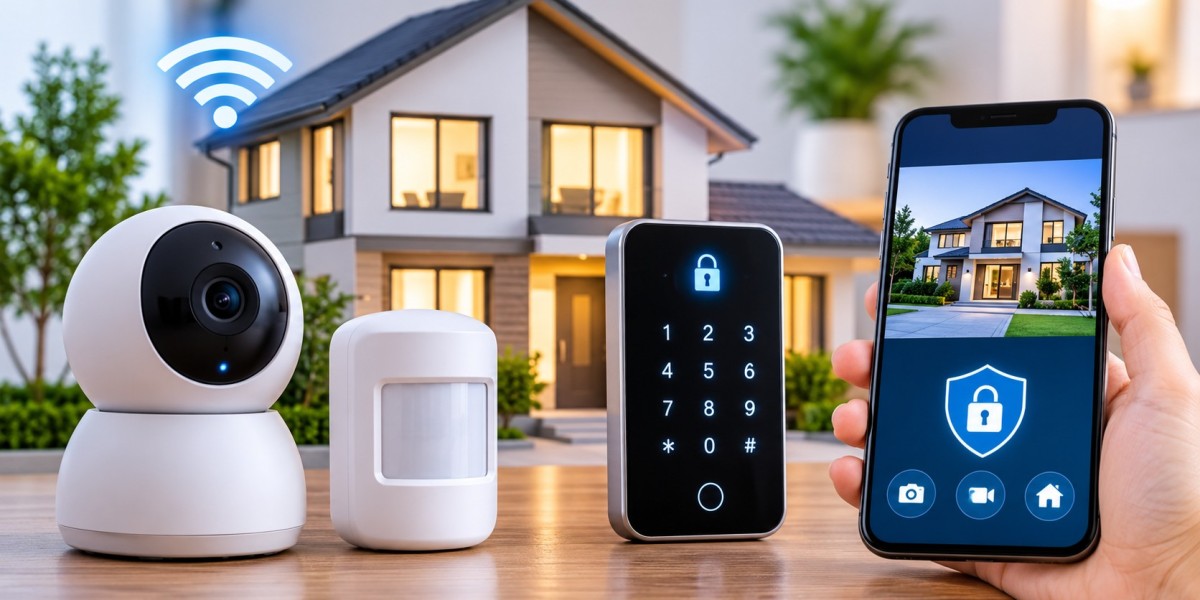
A typical system may include smart surveillance cameras, video doorbells, motion detectors, window sensors, smart locks, and alarm systems. Many devices connect to a central hub or mobile application, providing a convenient way to monitor multiple areas.
For example, when a motion sensor detects unexpected movement, the system can send an alert to a connected smartphone. A compatible security camera may automatically begin recording, allowing homeowners to review the activity.
These features help improve awareness of what happens around a property, even when residents are away.
Essential Smart Security Devices Every Homeowner Should Consider
Selecting suitable equipment is an important step toward building an effective residential security system. Different devices serve different purposes, so combining complementary technologies can provide better coverage.
1. Smart Security Cameras
Smart cameras allow homeowners to monitor indoor and outdoor spaces through live video feeds. Many modern models offer night vision, motion detection, two-way audio, and cloud or local video storage.
Outdoor cameras can help monitor entrances, driveways, garages, and backyards. Indoor cameras may provide additional visibility in common areas.
When selecting a camera, consider its video resolution, weather resistance, storage options, field of view, and compatibility with existing smart home equipment.
2. Smart Door Locks
Traditional keys can be misplaced, copied, or forgotten. Smart locks provide alternative access methods, including mobile applications, PIN codes, fingerprint recognition, and temporary digital keys.
Some models allow homeowners to check whether a door is locked without physically inspecting it. Remote locking features can also be useful when leaving home in a hurry.
For better protection, choose a smart lock with strong encryption, secure authentication, and a reliable backup access method.
3. Motion Sensors and Entry Sensors
Motion detectors identify movement within designated areas, while door and window sensors detect when an entry point is opened.
These devices can trigger notifications, activate alarms, or communicate with other connected equipment.
Installing sensors near vulnerable entry points helps improve awareness and reduces the likelihood of unnoticed access.
4. Smart Video Doorbells
Video doorbells provide an additional layer of protection at the front entrance. They allow residents to see visitors, communicate through two-way audio, and receive alerts when someone approaches the door.
This feature can be particularly useful for identifying unexpected visitors and monitoring package deliveries.
Why Reliable Internet Connectivity Matters for Home Security
Internet connectivity plays an important role in many modern security systems. Although some devices can operate locally, internet access enables several useful features, including remote monitoring, mobile notifications, cloud video storage, and remote device management.
Choosing reliable internet providers is therefore an important consideration when planning a connected home.
An unstable connection can interrupt live video streaming, delay notifications, or prevent certain devices from communicating with cloud-based services. These problems may reduce the effectiveness of security equipment when homeowners need it most.
Before installing connected security devices, consider the following network requirements:
Consistent connection: A stable internet connection helps cameras and sensors communicate without unnecessary interruptions.
Adequate bandwidth: Multiple cameras streaming high-resolution video may require more upload capacity.
Reliable Wi-Fi coverage: Security devices should receive a strong signal in their installed locations.
Low network congestion: Too many connected devices sharing limited bandwidth can affect performance.
Secure router configuration: Strong passwords and updated router software help protect connected equipment.
For larger properties, mesh Wi-Fi systems or additional access points may improve coverage in areas where the main router cannot provide a strong signal.
How to Protect Smart Home Devices from Cybersecurity Threats
Connected security equipment offers convenience, but it also introduces digital security considerations. Cameras, smart locks, and other network-connected devices should be protected against unauthorized access.
A poorly secured device could expose personal information or allow unwanted users to access certain system features.
Several practical steps can help reduce these risks.
Use Strong and Unique Passwords
Avoid using simple passwords or repeating the same credentials across multiple devices. Create unique passwords for security applications, camera accounts, and router administration.
A password manager can make managing different credentials easier.
Enable Two-Factor Authentication
Two-factor authentication adds another verification step when someone attempts to access an account. Even if a password becomes compromised, the additional security requirement can make unauthorized access more difficult.
Keep Devices Updated
Manufacturers regularly release firmware and software updates to improve performance and address security vulnerabilities.
Enable automatic updates when available or check manufacturer applications periodically for new versions.
Secure the Home Wi-Fi Network
Use modern Wi-Fi security settings, such as WPA2 or WPA3 where supported. Change default router administrator credentials and avoid sharing the primary network password unnecessarily.
Creating a separate guest network or dedicated network for smart devices can also help organize connected equipment and limit unnecessary access.
Smart Home Security Solutions for Different Property Types
Every property has different security requirements. A small apartment may need only a video doorbell, smart lock, and a few sensors, while a larger house may benefit from a more comprehensive monitoring system.
Apartments: Video doorbells, entry sensors, and indoor cameras can help monitor important areas without requiring extensive installation.
Single-family homes: Outdoor cameras, garage sensors, smart locks, and motion detectors can provide broader coverage across multiple entry points.
Vacation properties: Remote monitoring, environmental sensors, and automated lighting can help property owners stay informed while away.
Rental properties: Smart access systems with temporary entry codes can simplify access management while reducing the need to distribute physical keys.
The most effective solution depends on property size, entry locations, household routines, and the level of monitoring required.
Common Smart Home Security Mistakes to Avoid
Even advanced security equipment may provide limited protection when installed or configured incorrectly. Avoiding common mistakes can improve system reliability.
Installing cameras in the wrong locations: Position cameras to cover important entry points without leaving major blind spots.
Ignoring Wi-Fi coverage: Test signal strength before permanently installing wireless devices.
Using default passwords: Replace factory credentials with strong, unique passwords.
Forgetting software updates: Outdated devices may contain security weaknesses.
Depending entirely on cloud services: Consider local storage or backup options where supported.
Ignoring power interruptions: Battery backups or compatible backup power systems can help maintain essential equipment during outages.
Regularly testing cameras, alarms, sensors, and notification settings helps identify problems before they affect everyday security.
How to Choose the Right Smart Home Security System
Before purchasing equipment, identify the areas that require the most protection. Start with doors, windows, garages, and other accessible entry points.
Next, determine whether wireless, wired, or hybrid equipment is more suitable. Wireless systems are often easier to install, while wired equipment may provide a dependable connection for permanent installations.
Consider compatibility as well. Devices that work together through a common smart home platform can simplify management and automation.
It is also important to compare installation requirements, subscription fees, storage plans, warranty coverage, and customer support.
Rather than purchasing every available device, prioritize equipment that addresses specific security concerns. A properly configured system with essential components can be more useful than a large collection of poorly integrated devices.
The Future of Smart Home Security
Smart residential protection continues to evolve through artificial intelligence, automation, and improved connected devices. Modern cameras increasingly offer intelligent detection features that can distinguish between people, vehicles, animals, and general movement.
Automated lighting can activate when motion is detected, while smart locks can work alongside compatible alarm systems to create coordinated security routines.
Voice assistants and centralized smart home platforms are also making it easier to manage connected devices through simple commands.
As these technologies develop, reliable connectivity and strong cybersecurity practices will remain essential. Homeowners who combine intelligent equipment with responsible network management can benefit from greater convenience and improved awareness of their surroundings.
Final Thoughts
Smart home security offers practical ways to improve residential protection through connected cameras, intelligent locks, motion sensors, and automated monitoring. These technologies make it easier to manage access, receive alerts, and monitor important areas from almost anywhere.
However, effective protection requires more than purchasing advanced equipment. Proper installation, dependable internet connectivity, strong passwords, regular updates, and routine system testing all contribute to better performance.
By understanding household requirements and selecting compatible devices, homeowners can develop a reliable security setup that supports everyday safety while making modern living more convenient.